
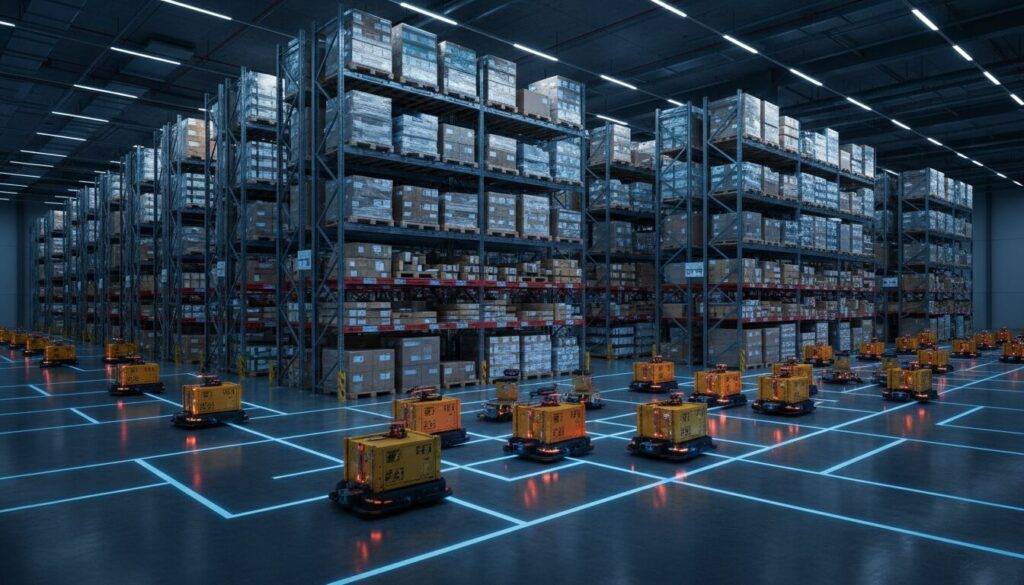
The promise of the “Dark Warehouse”—a fully automated facility running 24/7 without human intervention—is the ultimate goal for many logistics leaders. However, the path to this reality is often littered with stalled Automatic Mobile Robots (AMRs), deadlock traffic jams, and plummeting ROI.
As a warehouse manager, you might have invested in a fleet of robots expecting continuous throughput, only to find that pushing for 100% uptime actually results in lower overall productivity.
This paradox occurs because most deployment strategies fail to account for the physical constraints of the hardware. In this guide, we will explore the critical viewpoint: Why ‘always-on’ environments break most robotics deployments – and how to fix them. We will move beyond the theory and provide a practical, 4-step framework to orchestrate your fleet for genuine, sustainable efficiency.
The Operational Pain: When “24/7” Becomes a Bottleneck
Most warehouse managers encounter the same symptoms approximately 3 to 6 months after deploying AMRs or AGVs in a high-intensity environment.
- The “Dead Battery” Queue: Robots all attempt to charge simultaneously during break times or shift changes, creating massive congestion at charging stations.
- Traffic Gridlock: In an effort to keep moving, robots flood the aisles. Without “breathing room” in the schedule, a single error causes a cascade of traffic jams that requires manual intervention.
- Map Drift: Warehouses are dynamic. Pallets move, racks shift. If a robot is “always on” and never takes downtime to sync with the central server or re-map, its navigation accuracy degrades, leading to lost robots.
The core issue is a misalignment between software expectations (continuous flow) and hardware reality (charging physics and maintenance needs).
As discussed in our analysis of Digital Sandboxes: The Ultimate Guide to Smarter Planning, attempting to solve these friction points in a live environment is dangerous. You need a structured approach to transition from “Always-On” to “Optimized-Flow.”
The Solution: Orchestrated Micro-Downtime
The solution to the “Always-On” breakage is not to buy more robots or bigger batteries. It is to shift your operational viewpoint from Continuous Uptime to Orchestrated Availability.
To fix broken deployments, we must acknowledge that robotics systems, much like the human workforce, operate in cycles. The goal is to desynchronize these cycles so that the fleet never experiences a collective failure point.
We will focus on three pillars:
- Energy Decoupling: Breaking the link between human shifts and robot charging.
- Spatial Zoning: Creating “pressure release valves” in your layout.
- Predictive Logic: Using AI to anticipate downtime rather than reacting to it.
Below is a comparison of the typical failing approach versus the corrected “Orchestrated” model.
Comparison: The “Always-On” Trap vs. Orchestrated Success
| Feature | The “Always-On” Trap (Current State) | Orchestrated Availability (Target State) |
|---|---|---|
| Charging Logic | Threshold Based: Robots charge only when battery hits <10%. | Opportunity Based: Robots charge during micro-pauses (picking idle time). |
| Fleet Behavior | Synchronized: Entire fleet active until shift break. | Desynchronized: 10-15% of fleet is always charging/maintaining. |
| Traffic Mgmt | Reactive: Rerouting only after a jam occurs. | Predictive: AI reserves paths and zones in advance. |
| Maintenance | Break-Fix: Repair when the robot stops moving. | Rotational: Scheduled withdrawal of units during low volume. |
Process: How to Implement Orchestrated Availability (4 Steps)
This process assumes you already have a fleet of AMRs or AGVs and are facing utilization challenges.
Step 1: Audit and Re-Profile Energy Consumption
The most common cause of system failure in 24/7 environments is the “Charging Death Spiral,” where robots wait in line to charge, depleting their battery while waiting, and eventually dying in the queue.
Action Items:
- Analyze Battery Data: Export logs from your Fleet Management System (FMS). Identify the “Valley of Death”—the time of day with the lowest average battery level across the fleet.
- Implement Opportunity Charging: Instead of waiting for a 10% threshold, reprogram robots to “sip” power. If a robot is idle for more than 2 minutes and is within 5 meters of a charger, it should dock.
- Review Hardware Capabilities: Understanding your battery tech is vital. For instance, newer technologies allow for rapid energy intake.
- See also: BYD Flash Charging: 5-Minute Charge & Supply Chain Impact. Even if you don’t use BYD, the principle of high-speed, short-duration charging is key to the “Always-On” fix.
Step 2: Establish “Micro-Downtime” Zones
In an always-on environment, aisles are constantly clogged. When a robot encounters an exception (e.g., a dropped box), there is no space to maneuver around it. You need to sacrifice a small percentage of storage density for operational fluidity.
Action Items:
- Create Buffer Zones: Designate specific areas (parking spots) at the end of every 3rd aisle. These are not for parking, but for “yielding.”
- Zoning for Maintenance: Dedicate a “Hospital Zone” away from the main pick paths. Any robot flagging a sensor error must immediately route there, rather than stopping in the main aisle.
- Picking Density Balance: High-density storage systems like AutoStore solve this by vertical stacking, but for floor-based AMRs, you must manage horizontal density.
- Reference: Boozt & Cognibotics: Advanced AutoStore Automation highlights how isolating the picking bottleneck allows for higher uptime. Apply this logic by segregating high-traffic fast-movers from slow-movers to prevent fleet convergence.
Step 3: Integrate “Physical AI” for Traffic Prediction
Standard traffic logic is binary: “Is the path clear? Yes/No.” In an always-on environment, this is insufficient. You need logic that asks: “Will this path be clear in 30 seconds?”
This requires moving from basic algorithms to AI-driven orchestration.
Action Items:
- Deploy Heatmapping: Use your FMS to visualize traffic heatmaps over the last 30 days.
- Adjust Weighting: Manually add “resistance” to the navigation map for high-congestion nodes. This forces a percentage of robots to take slightly longer, alternate routes, effectively spreading the traffic load.
- Leverage Advanced AI: If your current software cannot handle predictive pathing, consider third-party orchestration layers. The industry is shifting toward “Physical AI” that understands the physics of the warehouse, not just the digital code.
- Insight: As detailed in Intrinsic Joins Google: The Physical AI Shift in Logistics, the integration of advanced AI allows robots to learn from “physical” interactions, reducing the error rate in complex, continuous environments.
Step 4: Simulate the “Staggered Shift” Pattern
Finally, you must break the synchronization of the robots. Just as you stagger human lunch breaks, you must stagger robot “rest.”
Action Items:
- The 90/10 Rule: Configuration your fleet manager so that only 90% of the fleet is active at any given moment. The remaining 10% is forced into a charging/syncing cycle.
- Simulation Testing: Before applying this rule live, run a simulation.
- Critical Step: Use a “Digital Sandbox” environment to test if a 90% fleet size can handle the 100% throughput requirement. Often, you will find that 90% of robots moving smoothly yield higher throughput than 100% of robots moving in stop-and-go traffic.
- Resource: Refer to Digital Sandboxes: The Ultimate Guide to Smarter Planning for specific techniques on setting up these test environments.
Results: The Impact of Orchestration
By shifting from a brute-force “Always-On” mentality to an orchestrated approach, warehouse managers can expect significant improvements in operational stability.
Here are the expected metrics after a 3-month implementation of the steps above:
Performance Improvements
| Metric | Before Optimization | After Optimization | Impact |
|---|---|---|---|
| Fleet Availability | Volatile (drops to 60% at peak) | Stable (consistently 90-95%) | Consistent Throughput |
| Charging Queues | 15+ minutes wait time | < 1 minute wait time | Eliminated Dead Batteries |
| Traffic Jams | 5-10 major jams per shift | 0-1 major jams per shift | Reduced Manual Rescues |
| Order Cycle Time | Variable (unpredictable) | Predictable | Higher Customer Satisfaction |
Furthermore, looking at broader logistics trends, companies like Uber are demonstrating that managing a massive, decentralized fleet requires a pivot from “hardware ownership” to “platform orchestration.”
- See also: Uber’s Global Swiss Army Knife Robotaxi Strategy. While Uber deals with cars, the lesson for warehouse managers is identical: Scalability comes from smart fleet management, not just adding more vehicles.
Summary: Keys to Success
The view that an “always-on” environment requires robots to never stop is a fallacy that breaks most deployments. The physics of batteries, the reality of hardware maintenance, and the complexity of traffic logic demand a different approach.
To fix your robotics deployment:
- Stop chasing 100% uptime. Aim for 100% availability via staggered cycles.
- Decouple charging from shifts. Use opportunity charging to flatten the energy curve.
- Sacrifice density for flow. Create buffer zones to prevent gridlock.
- Simulate first. Use Digital Sandboxes to prove your new logic before risking live operations.
True Logistics DX is not about the robot itself; it is about how the robot fits into the rhythm of your operation. By orchestrating downtime, you ensure uptime.